Meet LockFlare Lens
The desktop console for the servers you already have. It speaks SSH to them, sets them up and keeps them safe, and installs nothing on any of them. No agents, no login, no cloud in the path. For macOS and Windows.

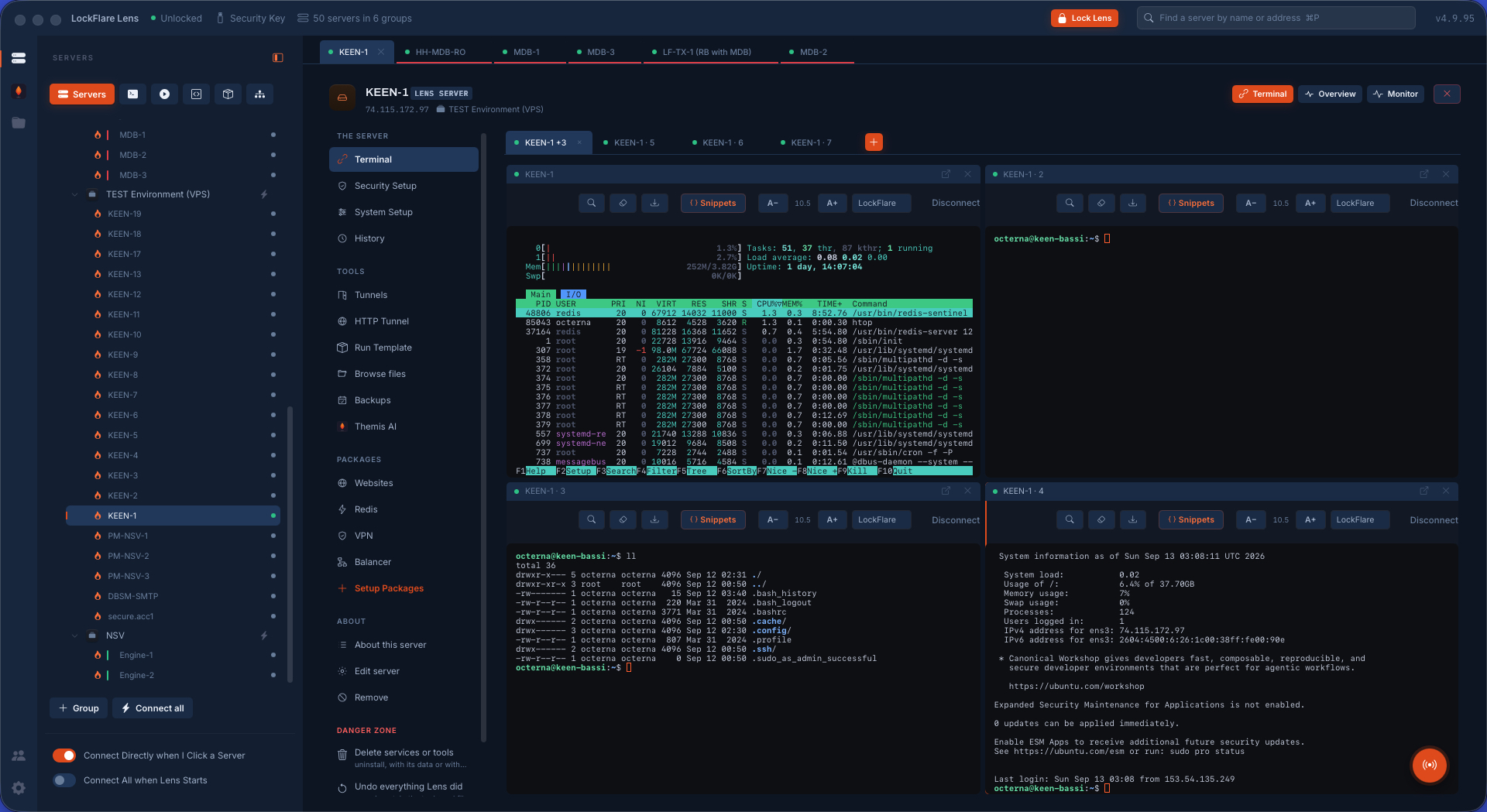
What is true before you install anything
Not policies. Consequences of how Lens is built, and you can check each one.
Nothing installed on your servers
Lens connects straight to them over the SSH you already run. No client, no agent, no daemon, no open port. Every reading is a command; every change is a script through sudo; anything that must run while Lens is closed is a cron line or a systemd unit the box already understands.
No credentials stored at LockFlare
Your logins, keys, sudo passwords, certificates and API keys live on your computer, sealed under the pen drive's own signature, and ride an encrypted backup on the drive itself. LockFlare has no server they could sit on.
100% air-gapped
Lens never opens a connection to LockFlare — not to check a license, not to phone home, not to refresh a catalog on its own. A license is a signed key opened on your computer: the signature is the truth, the box is the witness, and nobody is asked.
Zero trust in the path
There is no LockFlare service between you and a server. Every session is your own SSH login, checked by that server's sshd; every root action is your own sudo. Lens holds no standing access to anything, and cannot be made a way in.
Zero knowledge of your fleet
LockFlare knows exactly two things: the email on your account and the IP addresses you license, because a server license is written for one address. Nothing else is collected — no inventory, no telemetry, no server names, no record of what you run.
Unlimited terminals, 10 servers free forever
Any box you can SSH into is a console in Lens — shell, files, tunnels, history — with no license and no count. And 10 Lens-managed servers, with everything on this site, come free with every account. No clock, no card.
One console, the whole server
Lens replaces the pile of tools an operator carries: the terminal, the file manager, the tunnel, the firewall notes, the certificate spreadsheet, the database GUI and the runbook. Each one is a screen on the same box, over the same login.
Security you can read, not a checklist you copy
Eleven screens say how exposed a server is, in words: the firewall and who it lets in, Fail2Ban and who is banned, SSH hardening that is kept only after a fresh login succeeds, password policy, a web application firewall with ModSecurity and CrowdSec, file and rootkit integrity, AppArmor and SELinux denials, kernel switches, everything scheduled, and whether the clock is right.
Security and system setup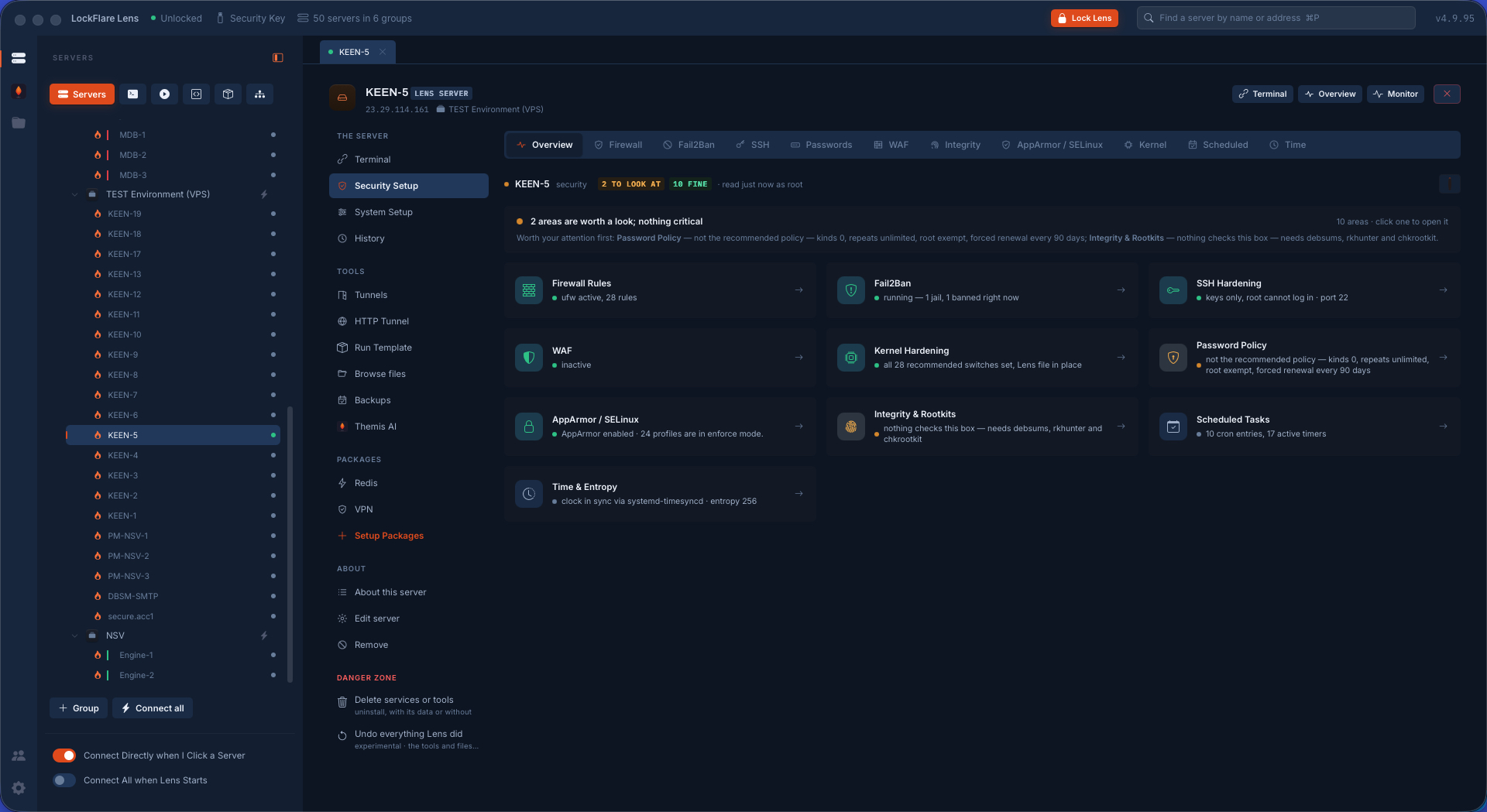
Databases the way a DBA would, without hiring one
What you are looking at is real: a sharded MongoDB cluster over nineteen servers — four shards of three, five config servers, two routers — built by Lens from the drop boxes in 43 minutes, timed with a watch. Every wire between the pieces was proved from the box it starts at before the job called itself done.
MariaDB, PostgreSQL and MongoDB installed and secured on the way in. Replication drawn from one screen and applied to every member. TLS across the cluster, the whole cluster backed up as one thing, Redis or Valkey with Sentinel.
Watch it built, screen by screen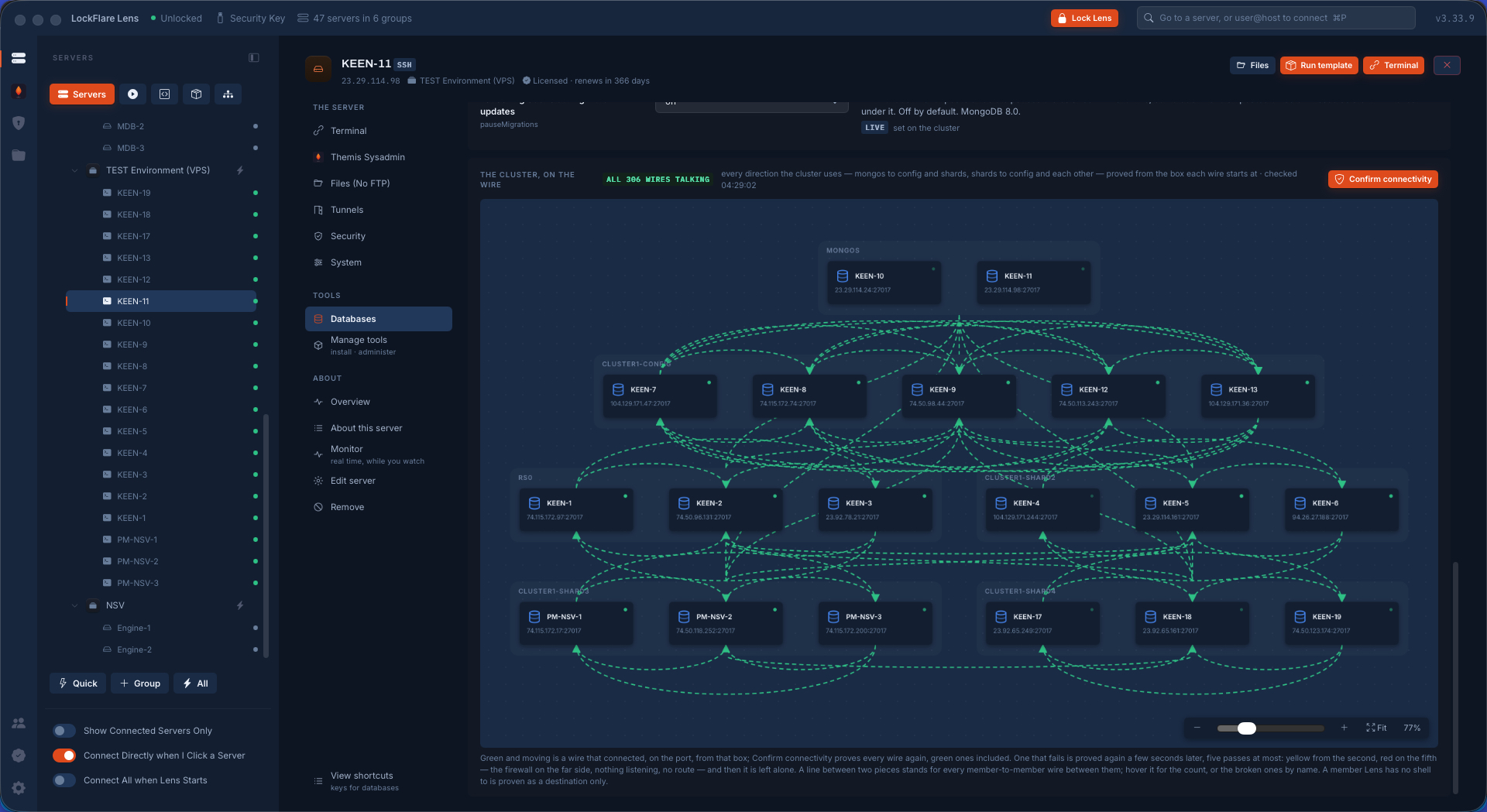
The software a server needs, put there properly
What you are looking at: a WireGuard mesh over fourteen servers — a key pair made on every box, the private half never leaving it, every box a peer of every other, one UDP port, 182 tunnels proved from both ends — built by Lens in 8 minutes, timed. Replication, backups and admin traffic ride it and nothing crosses the internet in the clear.
The same hub installs nginx or Apache with sites as things, Postfix that earns a reputation with the DNS records to copy, Docker with compose stacks, KVM guests, Redis with Sentinel, and an HAProxy balancer that follows your database primary when it moves.
Web, mail, containers, VPN and more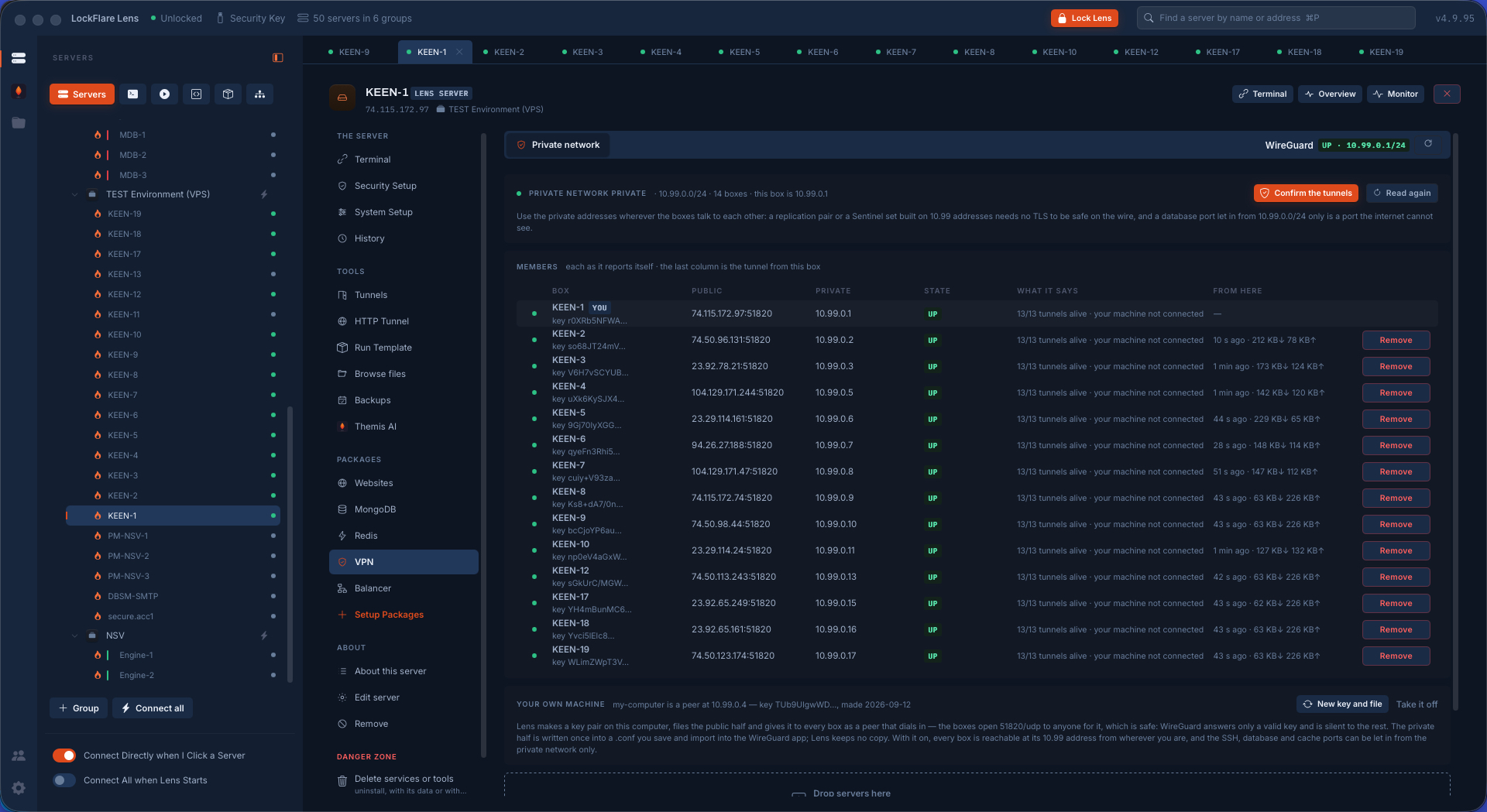
Fifty servers, one action
Drag servers from the tree onto a board and run one line on all of them, ask one question and get one answer per box, or set the same thing up everywhere. Draw a hardening playbook as a flow and run it on a fresh box or a whole fleet. Draw your architecture and let Lens prove every connection from the machine the traffic leaves.
Actions, templates and the NOC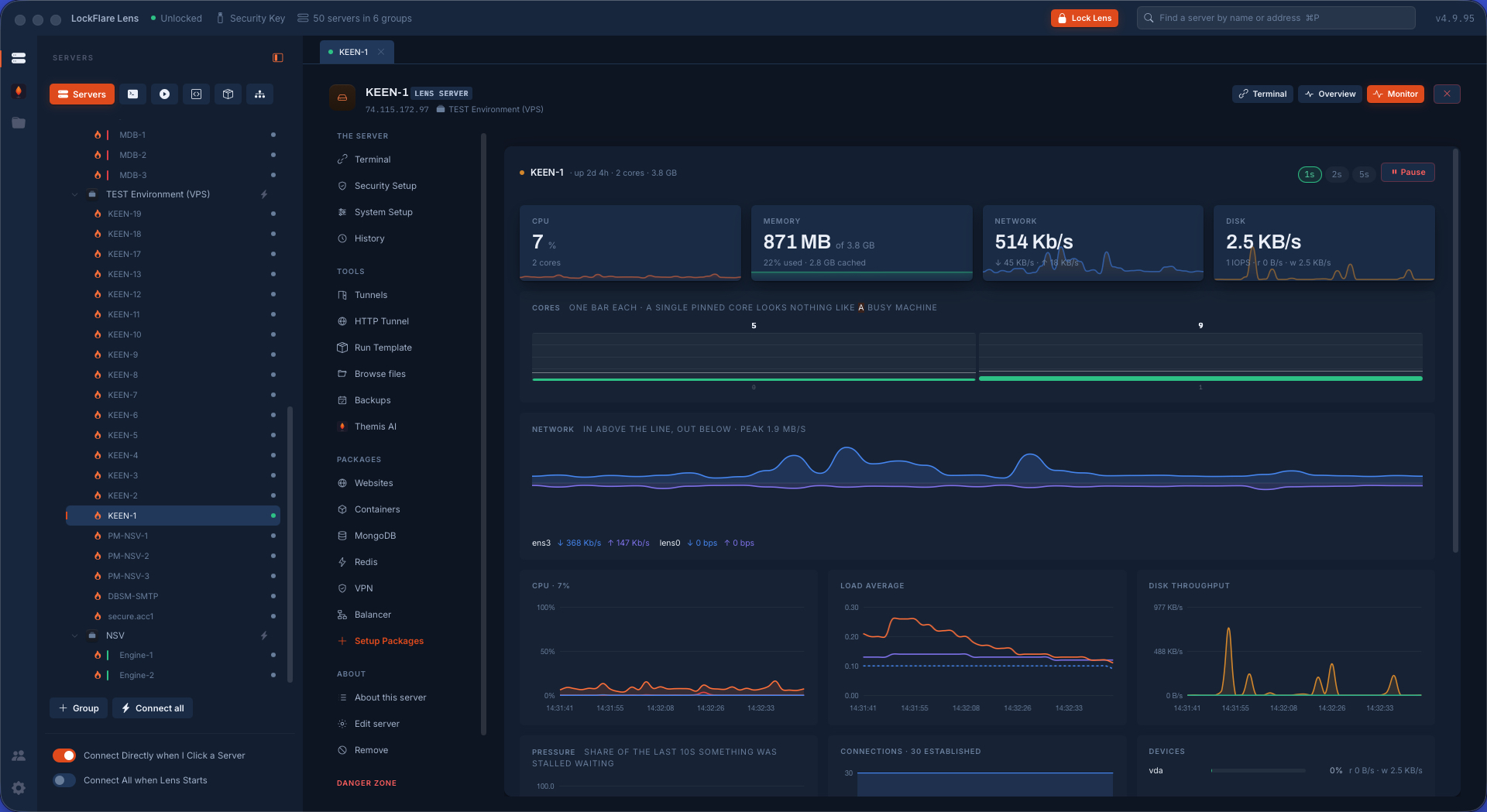
An AI sysadmin that reads, proposes, and waits for you
Themis reads a server through curated probes and a read-only shell, writes the security report or the health check, and proposes fixes one at a time. Run, show me the exact script, or no. She never changes anything on her own, uses your own model account, and leaves one folder on the box that you can delete to remove every trace.
Themis AI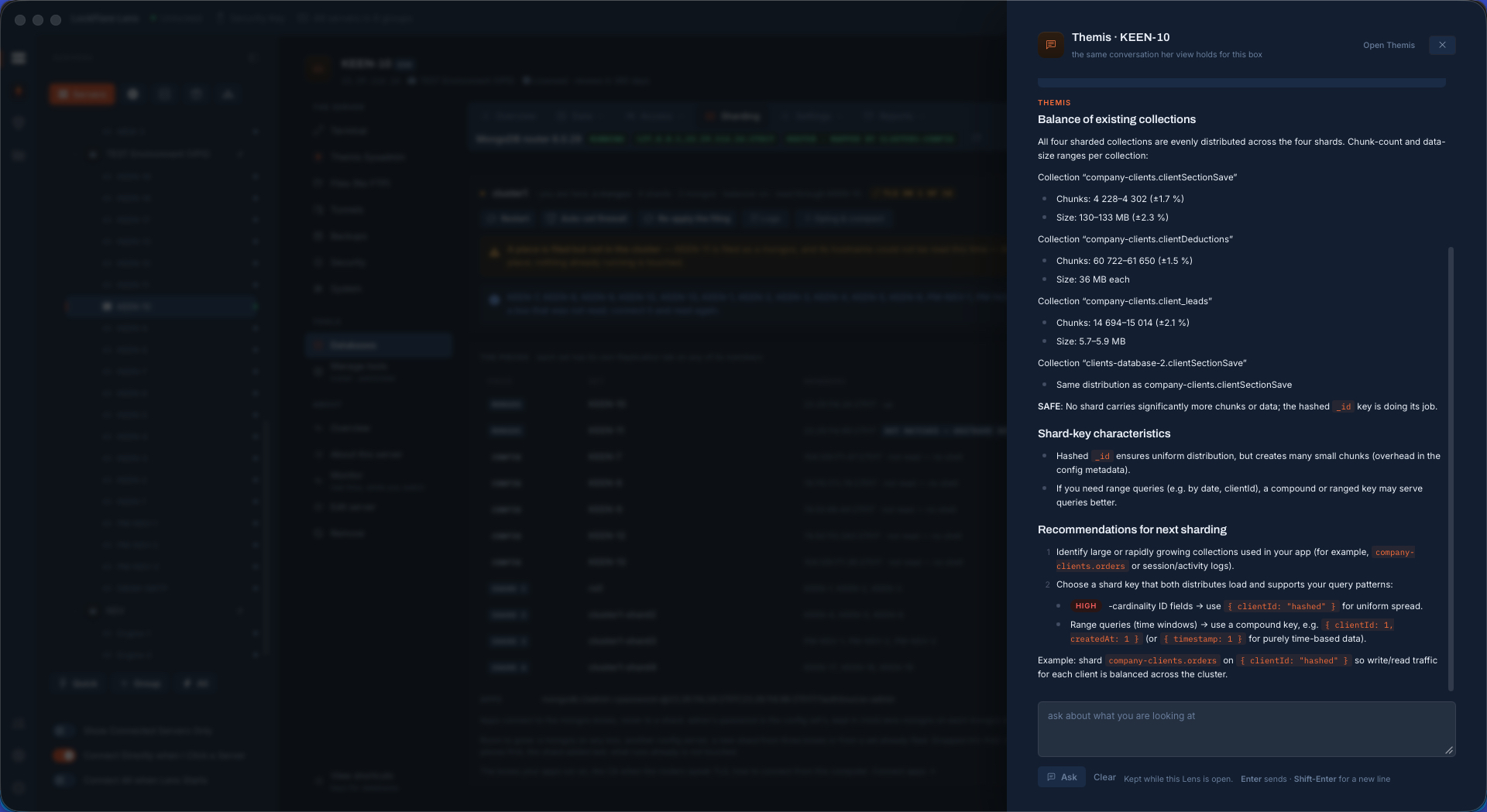
What Lens writes on your server
The whole list. Everything else is a command that reads and leaves nothing behind.
Built for the person who is the whole ops team
Works with zero LockFlare products
A full SSH console on day one: tabs, split panes, tunnels, files, history, snippets. Your servers, your logins, your keys. Lens holds no key of its own.
Never phones home
Licenses are signed keys opened on your computer. The model catalog for Themis refreshes only when you press the button. There is no LockFlare service in the path between you and your servers.
Everything it keeps is sealed
Saved logins, certificates, repository secrets and API keys live on your computer under the key drive's own signature, and ride an encrypted backup on the drive itself.
Free to start
Every account comes with free server licenses. Past those, a server is licensed by address for a year. No seats, no per-feature tiers.
LicensingmacOS and Windows
One signed and notarized app for Intel and Apple Silicon Macs, a signed installer for Windows. The same map on both.
DownloadDocumented at the feature level
Every screen, what it reads, what it writes and what it refuses to do, written down before you install anything.
Read the documentationPut your first server on the map
Create an account, download Lens, plug in a pen drive. Ten minutes from install to a hardened box — here is every screen of it.